
Tableau consulting teams
Turn repeatable client dashboard requests into reusable generation workflows, then spend more time on analysis and stakeholder review.
Describe what you need in plain language. cwtwb generates .twb dashboards, cwprep generates .tfl data flows — so BI teams can accelerate dashboard development, formatting, layout work, and Prep flow delivery without starting from a blank canvas.
Datacooper does not replace BI teams. It removes the repetitive file-building work around dashboards and Prep flows, so specialists can focus on requirements, analysis, review, and client delivery.
Turn repeatable client dashboard requests into reusable generation workflows, then spend more time on analysis and stakeholder review.
Accelerate internal dashboard packs, style changes, layout adjustments, and data source migration without asking senior Tableau builders to redo the same work.
Generate Tableau Prep flows with SQL visibility, local execution options, and a clearer path for audit and handoff.
Start with high-friction Tableau work where human judgment matters, but the mechanical file-building work should be automated.
Create dashboard variants for regions, stores, clients, or departments while preserving a consistent workbook structure.
Apply consistent sizing, containers, chart positioning, brand colors, labels, and layout rules from repeatable instructions.
Update existing TWB/TWBX workbooks when fields or data sources change instead of rebuilding dashboards from scratch.
Describe cleaning steps in text, generate Tableau Prep files, and review transformation logic through SQL-oriented output.
Start from one repeatable Tableau workflow, review the generated files, and decide what should become automation.
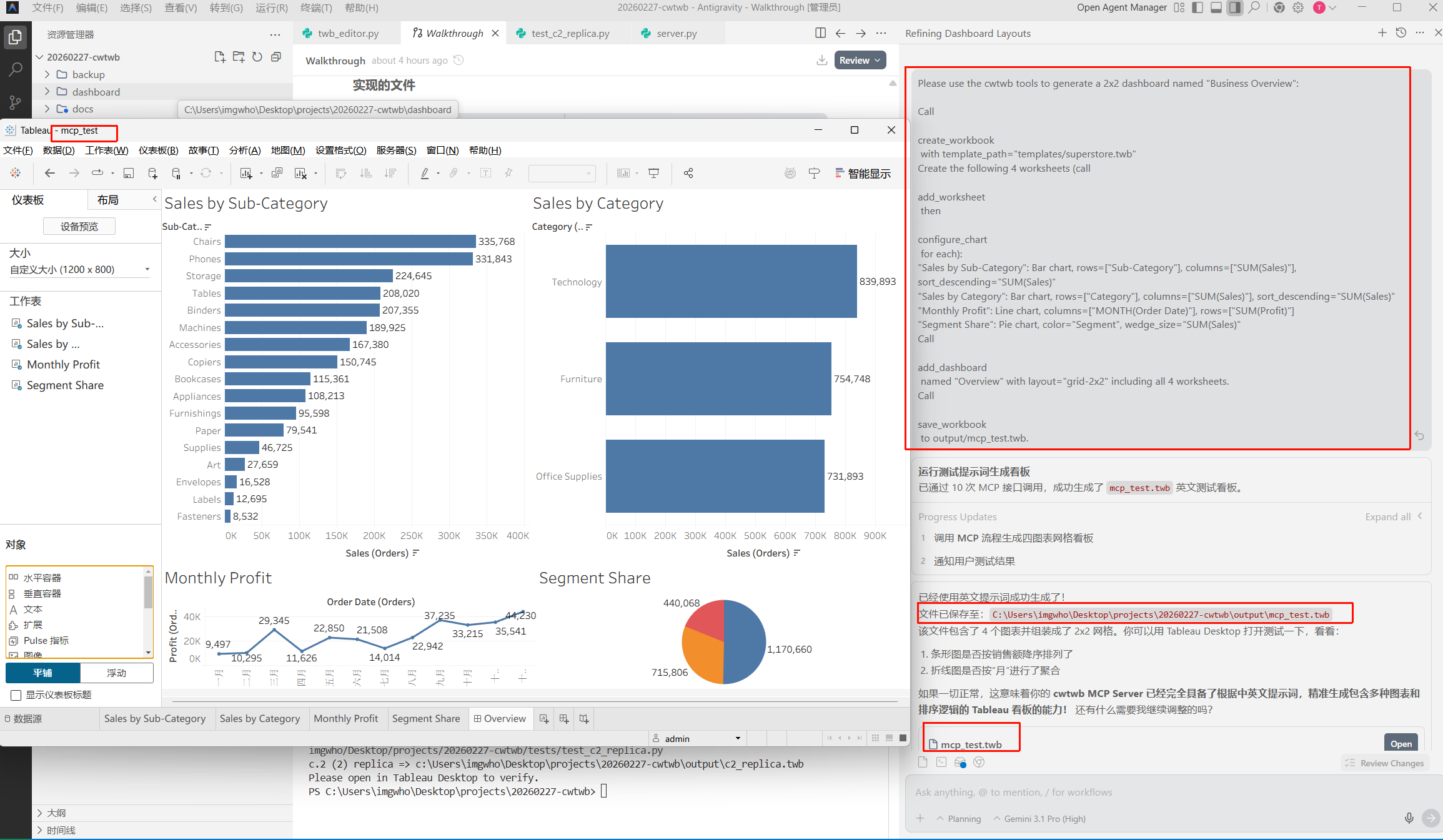
A retail group needed 200 custom dashboards fast. Using cwtwb's guided flow, they described what each dashboard should show, confirmed the layout, and generated .twbx files ready to publish. Delivery cost dropped 80%.
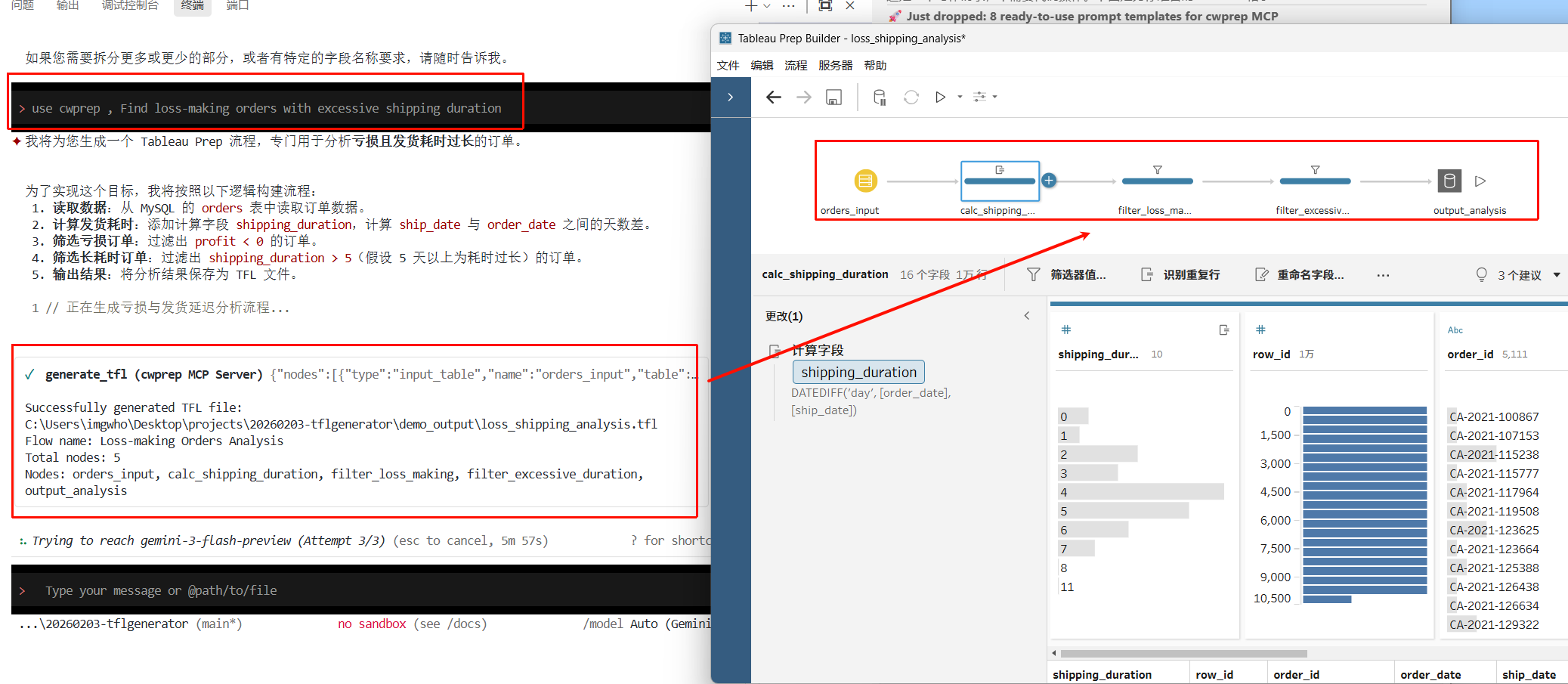
A finance team replaced their manual Tableau Prep work with cwprep. They described the cleaning steps in text, got .tflx files that opened directly in Tableau Prep, and had a full SQL audit trail for compliance review.
For consulting and enterprise teams, the first conversation should answer whether your Tableau workflow is a good automation candidate.
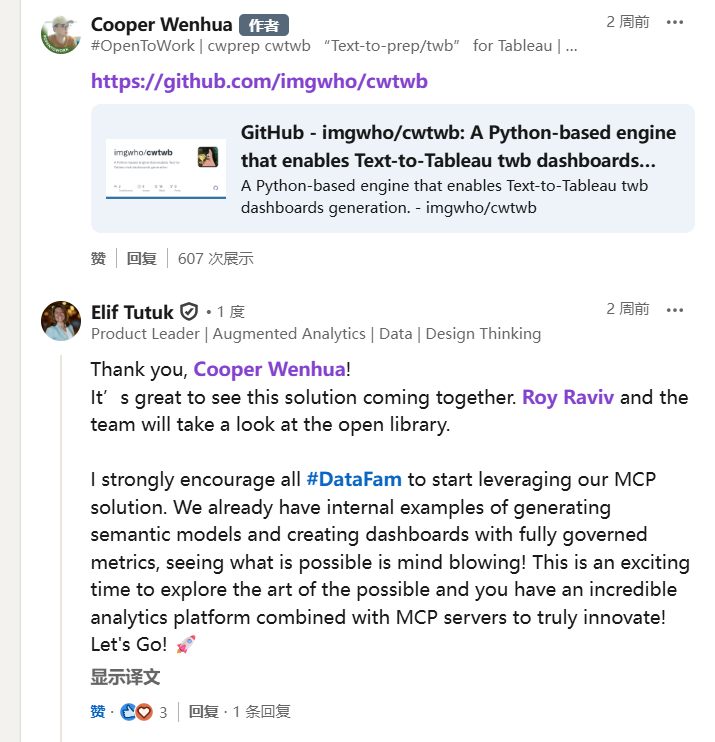
Industry leaders who helped shape Tableau share their perspective on where BI automation is headed.

VP of Product @ Tableau
The transition from GUI-based manual labor to code-level orchestration is the next frontier for BI. Datacooper provides the engineering rigor that modern enterprises desperately need.
Senior VP of Product @ Tableau
Tableau's DNA has always been about the intersection of data and design. Datacooper honors this by ensuring that automation doesn't sacrifice the 'pixel-perfect' beauty of the final dashboard.
Describe your dashboard. Get a .twb file you can open in Tableau.
Describe your data pipeline. Get a .tfl file you can run in Tableau Prep.
I have set up a dedicated YouTube channel: datacooper
2026-05-01Manually recreating complex dashboard container structures is...
2026-04-30ou simply upload your .twb file, specify the source worksheet...